> ## Documentation Index
> Fetch the complete documentation index at: https://docs.metabind.ai/llms.txt
> Use this file to discover all available pages before exploring further.
# Team management
> Organization roles, invitations, and access in MCP App Studio
Metabind organizes work into **organizations** (your company or workspace) and **projects** (an MCP App and its server). Roles and role assignments are defined at the **organization** level today — every member of an organization has access to every project in it, with the permissions their organization role grants.
## Organizations and projects
 If you need a user to have access to only some of your projects, put each restricted set of projects in its own organization.
## System roles
Eight roles are seeded for every organization. Six are general-purpose (Owner, Admin, Developer, Editor, Viewer, Content Writer); two are MCP-specific (MCP User, MCP Developer).
| Role | What it does | Use for |
| ------------------ | ------------------------------------------------------------------------------------------------- | ---------------------------------------------------------------- |
| **Owner** | Full organization control — billing, transfer, delete, plus everything below. | The person who created the organization. |
| **Admin** | Full administrative access except deleting the org. Manages projects, users, roles, and API keys. | Trusted operators. |
| **Developer** | Build components and packages, manage API keys, test draft tools. Cannot publish content. | Engineers building MCP Apps. |
| **Editor** | Manage content with publishing rights. Cannot edit components or packages. | Content/editorial staff. |
| **Content Writer** | Create and edit content drafts. Cannot publish. | Contributors who need review. |
| **Viewer** | Read-only access to everything in the organization. | Stakeholders who need visibility. |
| **MCP User** | Tool-only access to a private MCP project's production endpoint. No CMS visibility. | Internal staff using a Metabind-hosted assistant via SSO. |
| **MCP Developer** | MCP User access plus draft endpoint testing and Type visibility. | Internal developers or contractors validating unpublished tools. |
Owner, Admin, Developer, Editor, Viewer, and Content Writer are editable role templates — the seeded permission shape is the recommended starting point, but Admins can adjust them per organization.
**MCP User and MCP Developer are system roles** with stricter behavior. They cannot be deleted; their names and descriptions are read-only; only the `mcp` permissions are editable. This protects against an Admin accidentally granting them broader CMS access. If you need a different shape, create a custom role.
## Custom roles
Admins can create custom roles in **Settings → Roles** with arbitrary permission combinations across resources (`organizations`, `projects`, `users`, `roles`, `apiKeys`, `components`, `packages`, `contentTypes`, `content`, `assets`, `mcp`). The full permission model is documented in [REST API: roles](/rest/roles/overview).
## Inviting members
In MCP App Studio:
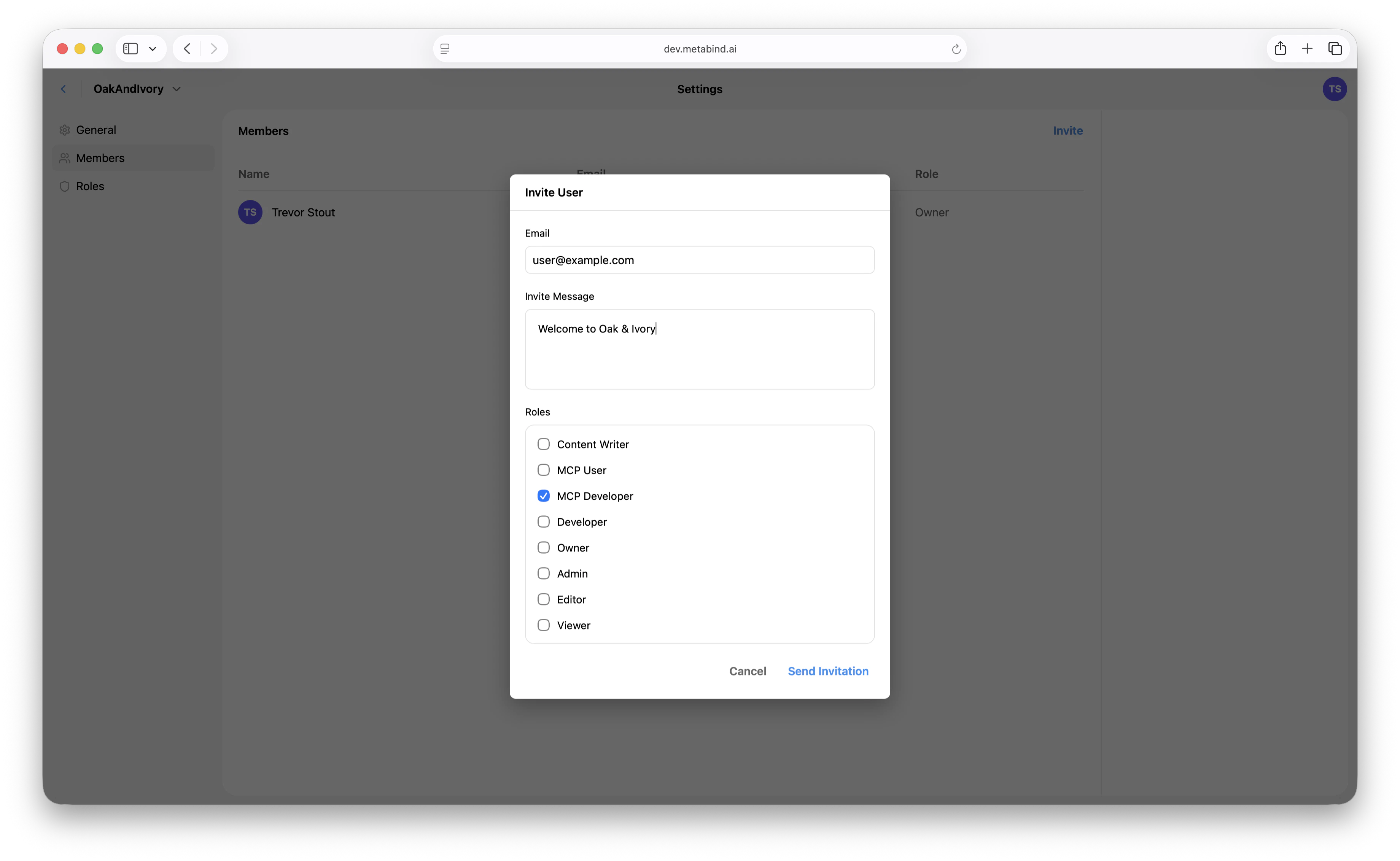
1. Open **Settings → Team** at the organization level.
2. Click **Invite**.
3. Enter the email and pick the role the user will hold across the organization.
4. The invitee receives an email with a link to accept.
Invitations expire after 7 days; resend from the same screen.
If you need a user to have access to only some of your projects, put each restricted set of projects in its own organization.
## System roles
Eight roles are seeded for every organization. Six are general-purpose (Owner, Admin, Developer, Editor, Viewer, Content Writer); two are MCP-specific (MCP User, MCP Developer).
| Role | What it does | Use for |
| ------------------ | ------------------------------------------------------------------------------------------------- | ---------------------------------------------------------------- |
| **Owner** | Full organization control — billing, transfer, delete, plus everything below. | The person who created the organization. |
| **Admin** | Full administrative access except deleting the org. Manages projects, users, roles, and API keys. | Trusted operators. |
| **Developer** | Build components and packages, manage API keys, test draft tools. Cannot publish content. | Engineers building MCP Apps. |
| **Editor** | Manage content with publishing rights. Cannot edit components or packages. | Content/editorial staff. |
| **Content Writer** | Create and edit content drafts. Cannot publish. | Contributors who need review. |
| **Viewer** | Read-only access to everything in the organization. | Stakeholders who need visibility. |
| **MCP User** | Tool-only access to a private MCP project's production endpoint. No CMS visibility. | Internal staff using a Metabind-hosted assistant via SSO. |
| **MCP Developer** | MCP User access plus draft endpoint testing and Type visibility. | Internal developers or contractors validating unpublished tools. |
Owner, Admin, Developer, Editor, Viewer, and Content Writer are editable role templates — the seeded permission shape is the recommended starting point, but Admins can adjust them per organization.
**MCP User and MCP Developer are system roles** with stricter behavior. They cannot be deleted; their names and descriptions are read-only; only the `mcp` permissions are editable. This protects against an Admin accidentally granting them broader CMS access. If you need a different shape, create a custom role.
## Custom roles
Admins can create custom roles in **Settings → Roles** with arbitrary permission combinations across resources (`organizations`, `projects`, `users`, `roles`, `apiKeys`, `components`, `packages`, `contentTypes`, `content`, `assets`, `mcp`). The full permission model is documented in [REST API: roles](/rest/roles/overview).
## Inviting members
In MCP App Studio:
1. Open **Settings → Team** at the organization level.
2. Click **Invite**.
3. Enter the email and pick the role the user will hold across the organization.
4. The invitee receives an email with a link to accept.
Invitations expire after 7 days; resend from the same screen.
 ## Project access
Every member of an organization can see every project in the organization, scoped by what their organization role permits. There is no per-project membership step today — adding a user to the organization is what gives them project access.
The server data model has a narrow project-level role assignment slot (`project.permissions.roles.admin/editor`) that engineering uses internally, but it is not exposed in MCP App Studio and is not part of the supported workflow. Treat organization role as the granularity you can actually configure.
## Changing roles
A user has one organization-level role at a time. Change it in **Settings → Team** by editing their row. The change is effective immediately and applies to every project in the organization.
Demoting a user revokes the relevant capabilities on their next request — including in-flight publish or write attempts.
## Removing members
Same screen. Removing a member revokes their access to the entire organization and every project in it.
## API keys vs. JWT login (machine and programmatic access)
Metabind supports two distinct access patterns for non-interactive callers:
| | **API keys** | **JWT login** |
| ----------------- | ------------------------------------------------------------------------------------------------------------------------------------------------------------------------------------- | ---------------------------------------------------------------------------------- |
| Scope | One specific project | Full user access (everything the user can do) |
| Auth | `x-api-key` header | `Authorization: Bearer ` |
| What it can do | **Read** published content, components, packages, assets, content types, tags, saved searches. Subscribe to published-resource events. **Cannot** create, modify, or delete anything. | Anything the user's role allows. Drafts, publishes, role changes, etc. |
| Refresh | Long-lived; revocable | Issued by Cognito; refresh tokens, expiries managed by the auth flow |
| Right pattern for | Mobile/web client apps reading published content. Public-facing integrations that don't need write access. | Admin tooling, CI/CD pipelines that publish or modify resources, full-API scripts. |
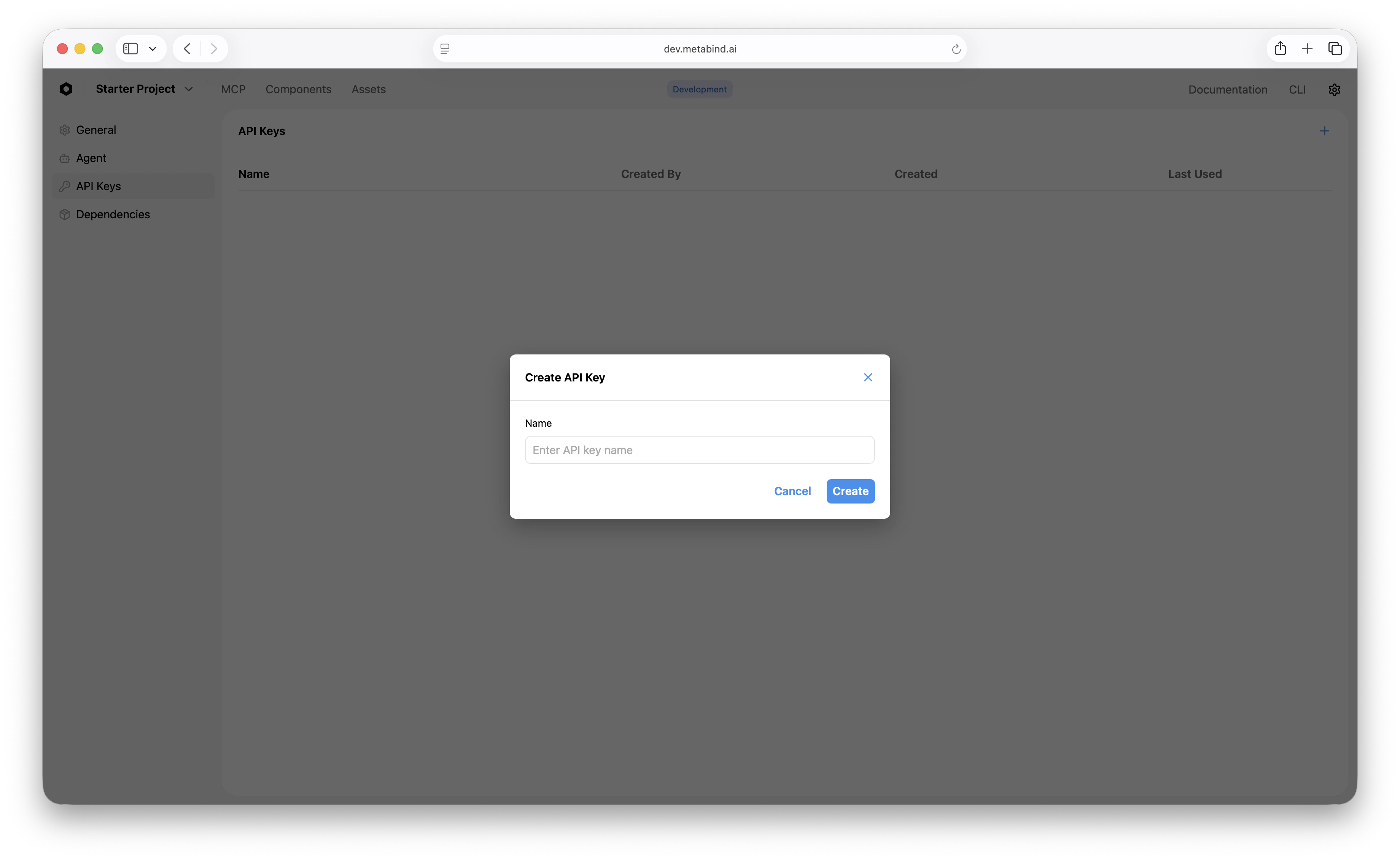
**To create an API key:**
1. Open **Settings → API Keys** on the project.
2. Click **Create API key**.
3. Copy the key — it's shown once.
## Project access
Every member of an organization can see every project in the organization, scoped by what their organization role permits. There is no per-project membership step today — adding a user to the organization is what gives them project access.
The server data model has a narrow project-level role assignment slot (`project.permissions.roles.admin/editor`) that engineering uses internally, but it is not exposed in MCP App Studio and is not part of the supported workflow. Treat organization role as the granularity you can actually configure.
## Changing roles
A user has one organization-level role at a time. Change it in **Settings → Team** by editing their row. The change is effective immediately and applies to every project in the organization.
Demoting a user revokes the relevant capabilities on their next request — including in-flight publish or write attempts.
## Removing members
Same screen. Removing a member revokes their access to the entire organization and every project in it.
## API keys vs. JWT login (machine and programmatic access)
Metabind supports two distinct access patterns for non-interactive callers:
| | **API keys** | **JWT login** |
| ----------------- | ------------------------------------------------------------------------------------------------------------------------------------------------------------------------------------- | ---------------------------------------------------------------------------------- |
| Scope | One specific project | Full user access (everything the user can do) |
| Auth | `x-api-key` header | `Authorization: Bearer ` |
| What it can do | **Read** published content, components, packages, assets, content types, tags, saved searches. Subscribe to published-resource events. **Cannot** create, modify, or delete anything. | Anything the user's role allows. Drafts, publishes, role changes, etc. |
| Refresh | Long-lived; revocable | Issued by Cognito; refresh tokens, expiries managed by the auth flow |
| Right pattern for | Mobile/web client apps reading published content. Public-facing integrations that don't need write access. | Admin tooling, CI/CD pipelines that publish or modify resources, full-API scripts. |
**To create an API key:**
1. Open **Settings → API Keys** on the project.
2. Click **Create API key**.
3. Copy the key — it's shown once.
 API keys are stored SHA-256 hashed in DynamoDB and revocable at any time.
**For JWT-based programmatic access**, log in as a user (or service-style user account) and pass the issued JWT. Metabind doesn't currently expose a separate "service account" entity — the recommendation is to create a dedicated user with an appropriately scoped role (e.g., a Developer role with API key permissions but no billing rights) and use its JWT.
For the full reference, see [REST API: API Keys](/rest/api-keys/overview).
## SSO and SAML
For organizations on the Enterprise plan, SSO via SAML 2.0 (and OIDC for Azure AD / Google Workspace) is supported. Once connected, organization membership is provisioned by your identity provider, and removing a user from your IdP automatically removes them from Metabind on next session check.
See [SSO and SAML](/guides/operations/sso-saml) for the full setup.
## Best practices
* **Default to Viewer or Content Writer for new joiners.** Promote when they need it.
* **Use API keys for client apps** that only need to read published content. JWT login is overkill and exposes more surface than necessary.
* **Use a dedicated CI user** with a tightly scoped role for automation rather than a personal account.
* **Use SSO for organizations of 10+.** It's faster than manual invitations and removes the offboarding cleanup risk.
* **Review the system MCP roles** before granting CMS-side roles to staff who only need to call tools. MCP User / MCP Developer give exactly that, with no editing surface.
## Related
Identity provider integration.
Per-call observability and execution history.
Public vs. private projects, the kill-switch, and rate limits.
Per-project and per-IP limits.
API keys are stored SHA-256 hashed in DynamoDB and revocable at any time.
**For JWT-based programmatic access**, log in as a user (or service-style user account) and pass the issued JWT. Metabind doesn't currently expose a separate "service account" entity — the recommendation is to create a dedicated user with an appropriately scoped role (e.g., a Developer role with API key permissions but no billing rights) and use its JWT.
For the full reference, see [REST API: API Keys](/rest/api-keys/overview).
## SSO and SAML
For organizations on the Enterprise plan, SSO via SAML 2.0 (and OIDC for Azure AD / Google Workspace) is supported. Once connected, organization membership is provisioned by your identity provider, and removing a user from your IdP automatically removes them from Metabind on next session check.
See [SSO and SAML](/guides/operations/sso-saml) for the full setup.
## Best practices
* **Default to Viewer or Content Writer for new joiners.** Promote when they need it.
* **Use API keys for client apps** that only need to read published content. JWT login is overkill and exposes more surface than necessary.
* **Use a dedicated CI user** with a tightly scoped role for automation rather than a personal account.
* **Use SSO for organizations of 10+.** It's faster than manual invitations and removes the offboarding cleanup risk.
* **Review the system MCP roles** before granting CMS-side roles to staff who only need to call tools. MCP User / MCP Developer give exactly that, with no editing surface.
## Related
Identity provider integration.
Per-call observability and execution history.
Public vs. private projects, the kill-switch, and rate limits.
Per-project and per-IP limits.