

What publishing does
Publishing in Metabind Studio takes two steps:- Publish Components. Every component file in your project is bundled into a new package version (e.g.,
1.4.0→1.5.0), and every Type in the project (Interactive Tools and Data Tools) is repinned to it. Interactive Tools on production render from their pinned package, so their rendered UI switches to the new package at this step. The bundle is immutable — published code never changes after the fact. - Publish Server. Every Type with unpublished changes is published.
https://mcp.metabind.ai/<org>/projects/<project>then serves them; connected hosts that listen for tool-list changes receivenotifications/tools/list_changed.
Where the Publish button lives
Publish Components is at the bottom of the Components sidebar, and Publish Server is at the bottom of the MCP sidebar. Each is only enabled when there are changes to publish. Publish Server also stays disabled while any tool uses the draft version of components.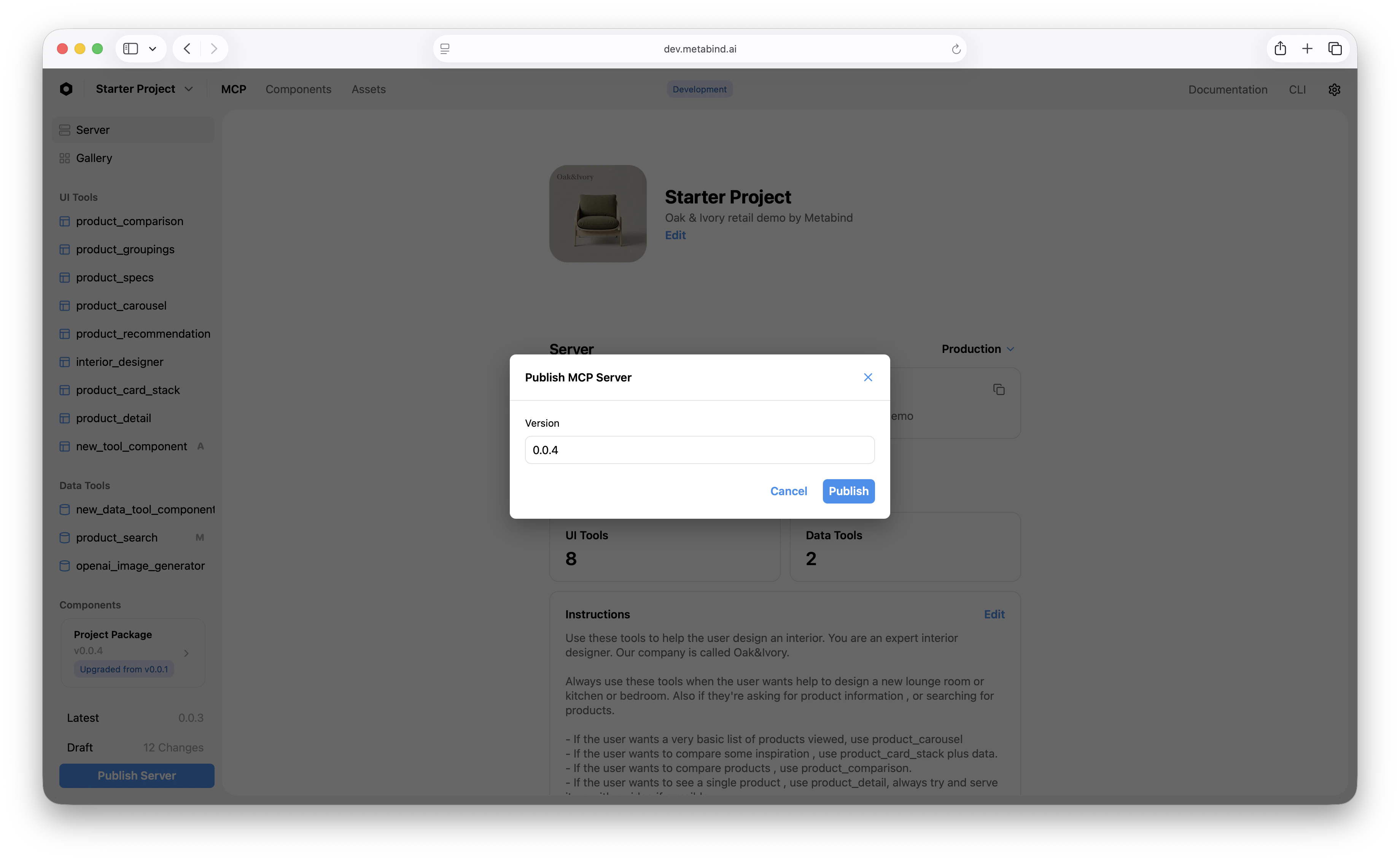
The publish dialog
Each button opens a short dialog:- Publish Changes (components) asks for a Version, which defaults to a patch bump of the latest package, and optional Release Notes that are stored with the package.
- Publish MCP Server asks for a Version, which defaults to a patch bump of the current server version. Hosts see this version as
serverInfo.version.
Who can publish
Publish requires a role with the relevantpublish permission — Editor for content, Admin or Owner for components, packages, and content types. Viewers can see drafts and previews but can’t promote. See Team management for the full role matrix.
What publishing locks
Once a package version is published, the bundle is immutable:- The component code at version
1.5.0will always be the code that was in your draft when1.5.0was published. Even if you edit the same component the next day, that’s a different version. - Types pinned to a specific version don’t drift. A host that connected and cached
product_card@1.5.0gets the same schema and behavior on every subsequent call until that Type is repinned.
What publishing doesn’t lock
A few things are not part of the published bundle and continue to be editable post-publish:- Secrets. Data Tool secrets live outside the package. You can rotate
STRIPE_API_KEYwithout republishing. - Allowed domains. Editable in real time (this is enforced at request time, not bundle time).
- Tool descriptions and annotations. Editable in real time on the Type’s edit page.
- Project Instructions. The free-text instructions that are shipped to MCP hosts as part of the protocol — editable without republishing.
Republishing
If you find a problem after publishing, you have two options:- Fix forward. Make the fix in Metabind Studio, publish a new version. This is the typical case.
- Roll back. Revert to a previous published package version. See Rolling back.
Cache behavior on connected hosts
MCP hosts list tools when they connect and cache the schemas. After a publish, hosts pick up the new schemas on:- Their next list-tools call (typically every conversation start).
- A manual reconnect, if the host supports one.
notifications/tools/list_changed to connected sessions that listen for it; other hosts discover the new version by listing. For long-running connections on those hosts, the user may see the previous version until the host reconnects.
Publish history
Every publish appears in the project’s history. The history shows:- Timestamp
- Author (the Metabind Studio user who clicked Publish)
- Version number
- Notes (the free-text entry from the publish dialog)
- Diff (a link to the file-by-file diff between this version and the previous)
Related
Draft and production
The two endpoints publishing promotes between.
Package versioning
What semantic versioning means for Metabind packages.
Rolling back
Revert to a previously published version.
Audit logs
Per-publish audit records and tool-call observability.