

The visibility setting
A project’s visibility lives atsettings.mcp.visibility and takes one of two values:
The setting applies only to the production endpoint. Drafts are always private and require a draft token.
When to use each
Stay private for:- MCP Apps that ship to specific customers or partners (per-token auth).
- MCP Apps embedded in your own product via the Assistant SDK (your backend mints tokens).
- Anything you’d otherwise gate behind an API key.
- MCP Apps with a public Gallery/discoverable surface (e.g., a directory listing).
- Demos, sample apps, and tutorials where anyone should connect without an invitation.
- Open utility tools that don’t depend on per-user state.
How to flip the toggle
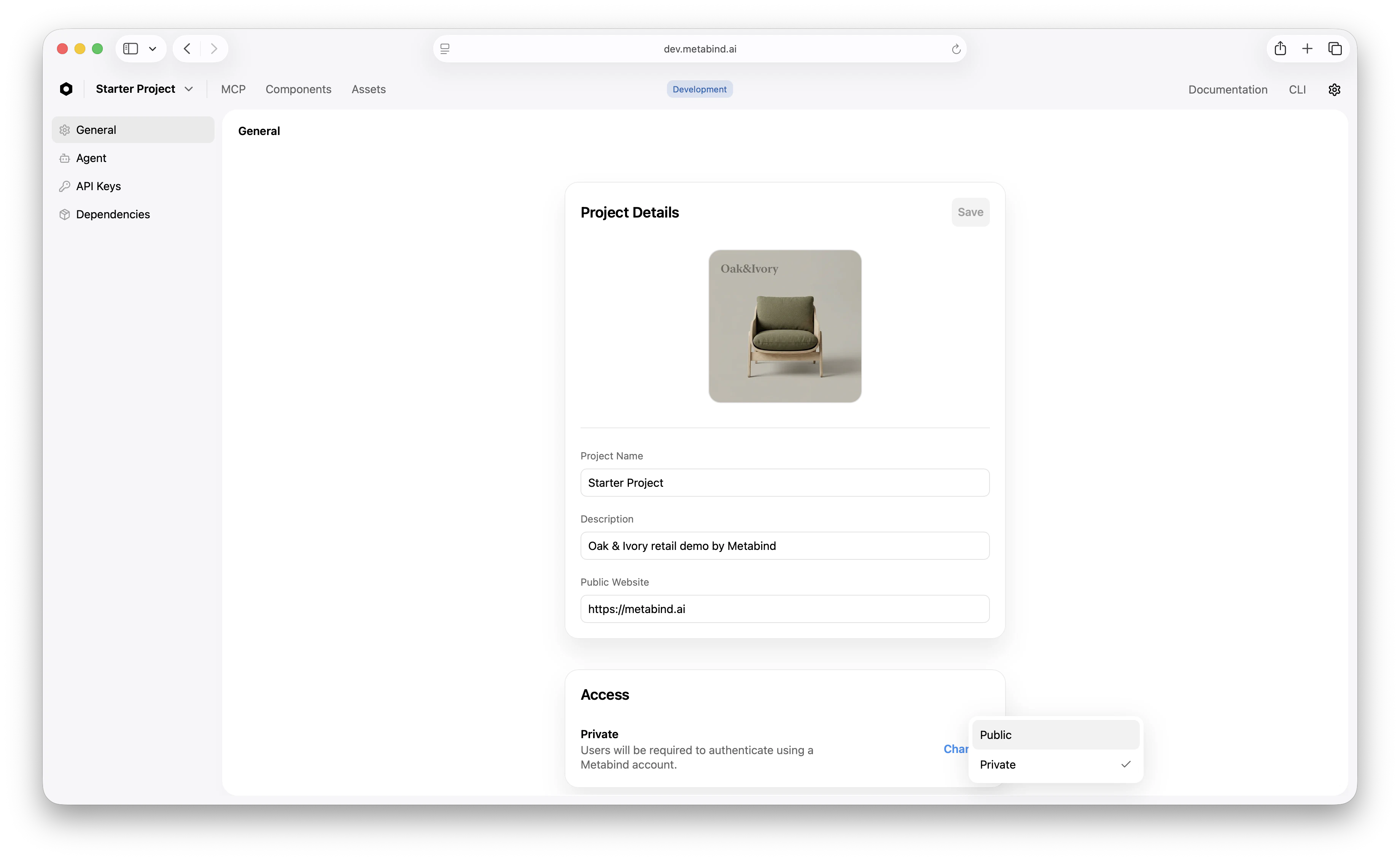
In Metabind Studio:- Open Settings → General.
- In the MCP server section, change Visibility between Private and Public.
- Confirm the change. For public → private (kill switch), the change is immediate.
Kill switch (disable-public)
If you need to cut a public project off the internet now — a security incident, abuse, an unexpected cost spike — flip it back to private. The action is atomic: the production endpoint stops accepting unauthenticated requests within seconds.
The same operation is available via API for automated runbooks:
settings.mcp.visibility = "private" atomically and returns the updated project. Any organization Owner or Admin can call it.
Permissions
This is intentionally tighter than other publish actions — making a project public has organization-wide reputational implications, so it’s gated to Owners and Admins.
Audit trail
Every visibility change is logged in the organization audit log:- Who changed it
- When
- The old and new values
- The IP/user agent that made the call
Public visibility and tokens
When a project is public:- Tools listed via
tools/listare visible without auth. - Tools called via
tools/callexecute without auth (subject to project rate limits). - Per-token rate limits still apply for any caller that does authenticate.
- Audit log entries record the (anonymous) caller and any auth they did supply.
- All requests must include
Authorization: Bearer <token>. - Rate limits are scoped per token.
- Audit log entries link calls to the specific token used.
Visibility and the Assistant SDK
The Assistant SDK always uses an authenticated path — your backend mints a per-user Metabind token — so visibility doesn’t affect the SDK directly. Public visibility primarily matters for connected MCP hosts and direct REST/MCP client connections.Fast cutover playbook
If you discover an active issue on a public project:- Hit the kill switch.
POST .../mcp/disable-publicfrom your runbook (or click the toggle in Metabind Studio). - Confirm in the audit log that the change took effect — every subsequent unauthenticated call should now 401.
- Investigate. Use the audit log to trace what calls came through during the public window.
- Re-enable cautiously. Once the underlying issue is resolved, decide whether to re-enable public visibility or keep the project private going forward.
Related
Project setup
Where the visibility setting first appears during project creation.
Audit logs
Visibility changes and per-call auth records.
Rate limiting
Per-token and per-project ceilings, public or private.
Team management
Who can change visibility.